Automate DDEV Projects with Workflows
Automation for DDEV projects. Knecht runs Composer updates and tests in a sandbox and opens pull requests. With an AI agent that fixes bugs in the project.
A workflow is a list of steps that Knecht executes automatically for a project. For example, start the project, update the Composer packages, run the tests, and open a pull request. Almost all of the last weeks went into this engine. This post explains what the engine can do, what separates the AI action from a chat, and what is still absent.
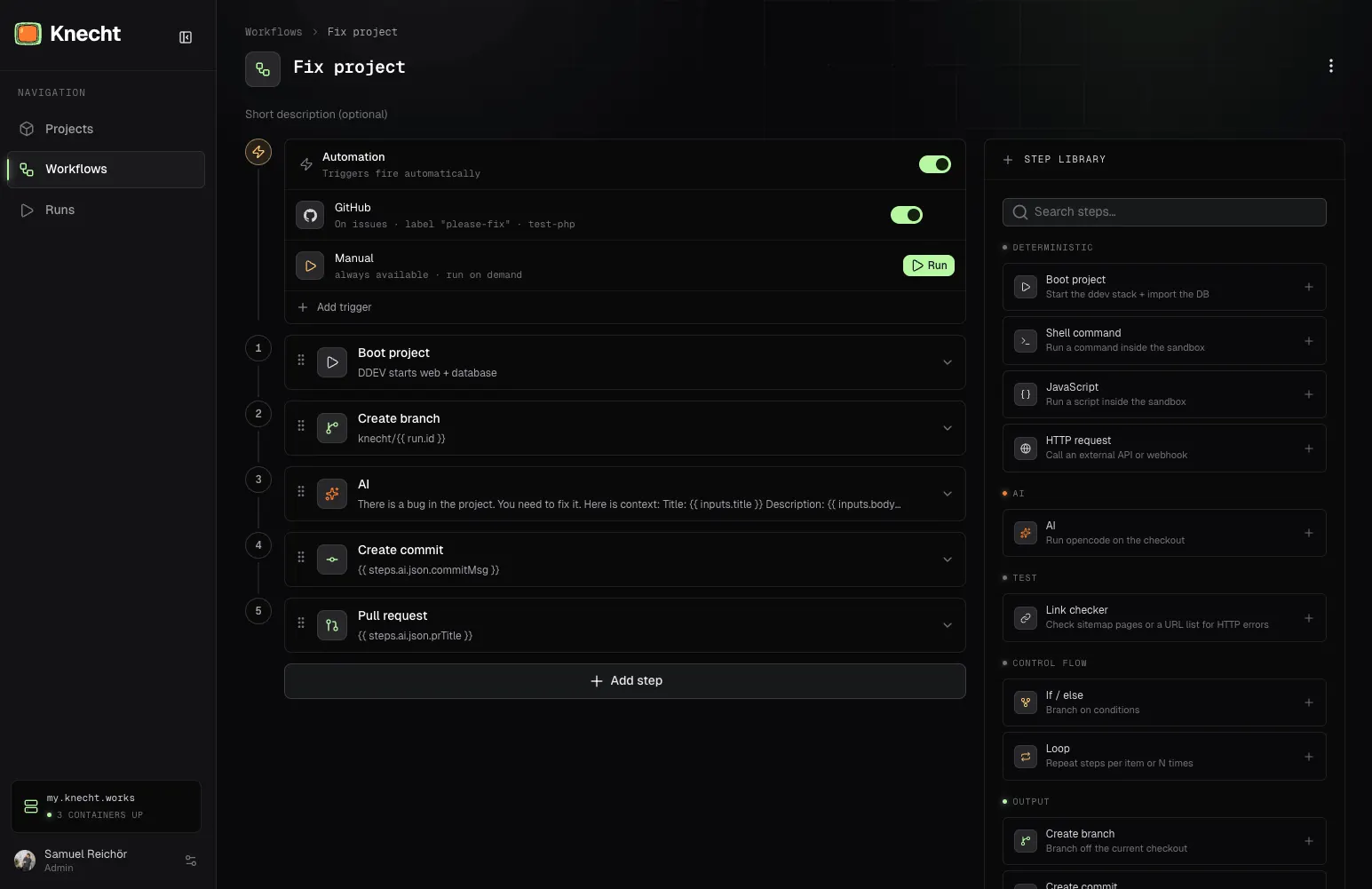
How a workflow runs
When a workflow starts, Knecht creates a run, a single execution on a project. Each run gets its own, isolated environment, the sandbox. The complete project runs in it. The code comes fresh from GitHub, Knecht imports the database, and DDEV starts. The live system and other runs do not notice it. The architecture post explains why each run gets its own sandbox.
The steps run one after the other, and each step leaves results. Later steps insert these results with placeholders.
{{ steps.run_tests.stdout }}      the output of the step "Run tests"
{{ inputs.title }}                the title of the ticket that started the workflow
You do not need to memorize this. When you type {{ , a list shows everything that is available at this position. And after each step, Knecht saves what happened. Therefore you see live where a run is, and you can continue a failed run exactly from the step where it stopped.
The actions
Each step executes one action. There are roughly three types.
composer update, run your own JavaScript code, call an external URL, check the complete sitemap for broken links, or bring the changes back to GitHub as a pull request.Not every error is a real error, so each step has its own error policy. Unstable commands get retries with backoff, and with continueOnError the run continues after an error. The library still grows. The screenshot above shows a part of the current actions.
An agent, not a chat
The AI action starts opencode with your own API key directly in the sandbox. The agent works in the real, active project. It reads code, changes files, and executes commands. A chat tells you what a fix could look like. The agent applies the fix and tests if it works.
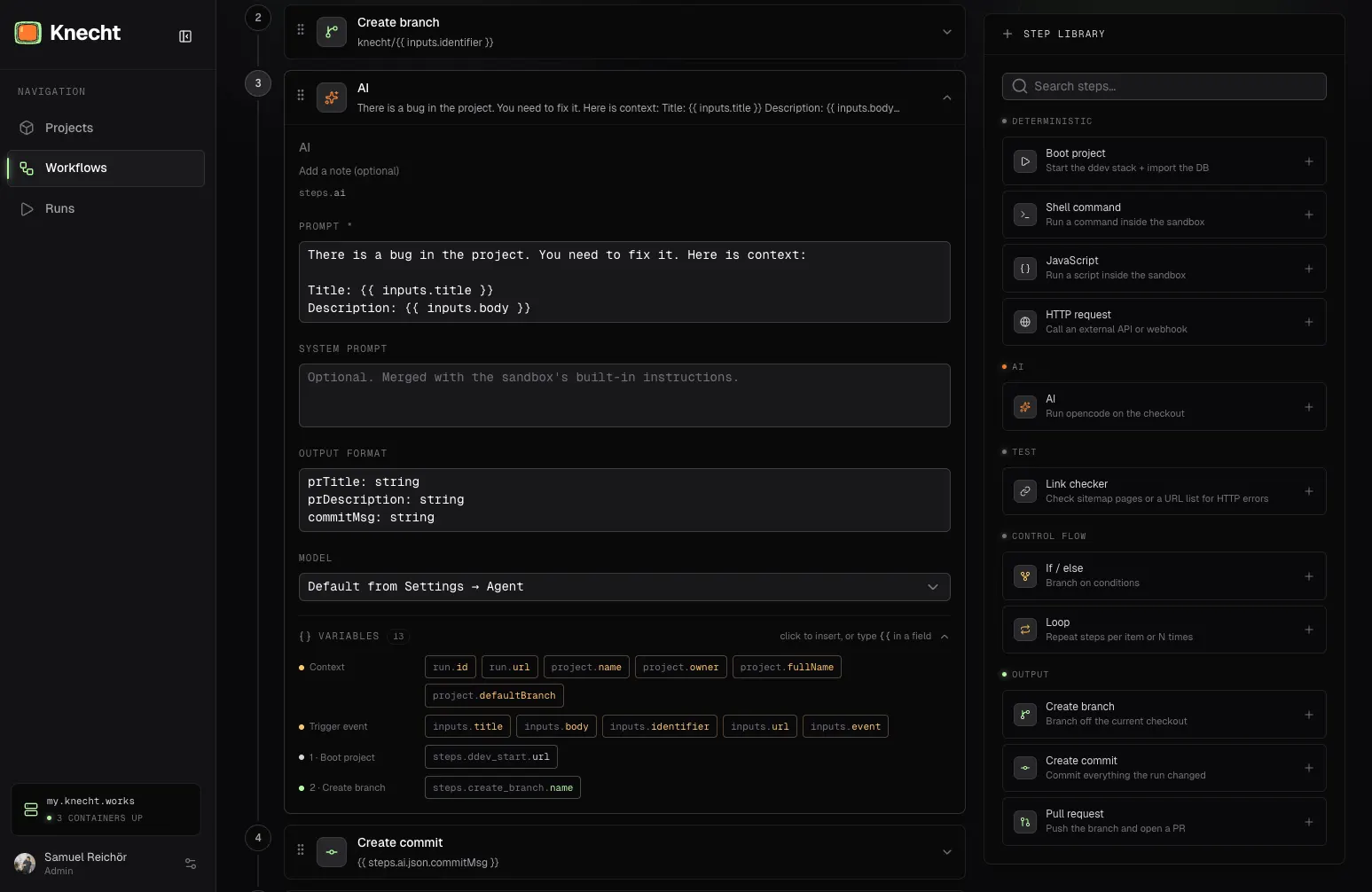
Instead of free text, the agent can deliver fixed output fields like prTitle, as validated JSON for later steps. And the agent does not disappear after the run. A chat on the run page continues the same session. "Make the button blue" does not need a new run.
Locked in the sandbox
Everything that a workflow executes (shell commands, your own code, the agent) runs only in the sandbox, never on the server itself.
Project secrets also stay where they belong. Knecht stores API keys and tokens encrypted in the database. The preview URLs are also not public. To open one, you need a Knecht login.
The triggers
A trigger defines when a workflow starts on its own. This is the point where a tool becomes automation, because nobody must remember to start the process. The workflow runs when its condition occurs, also at night and on the weekend. There are currently three types.
A trigger can include multiple projects, and it starts a separate run for each project.
After the start
Before you activate a trigger, you can test the workflow directly in the editor, against a real project in its own sandbox. The same rules apply to test runs and real runs.
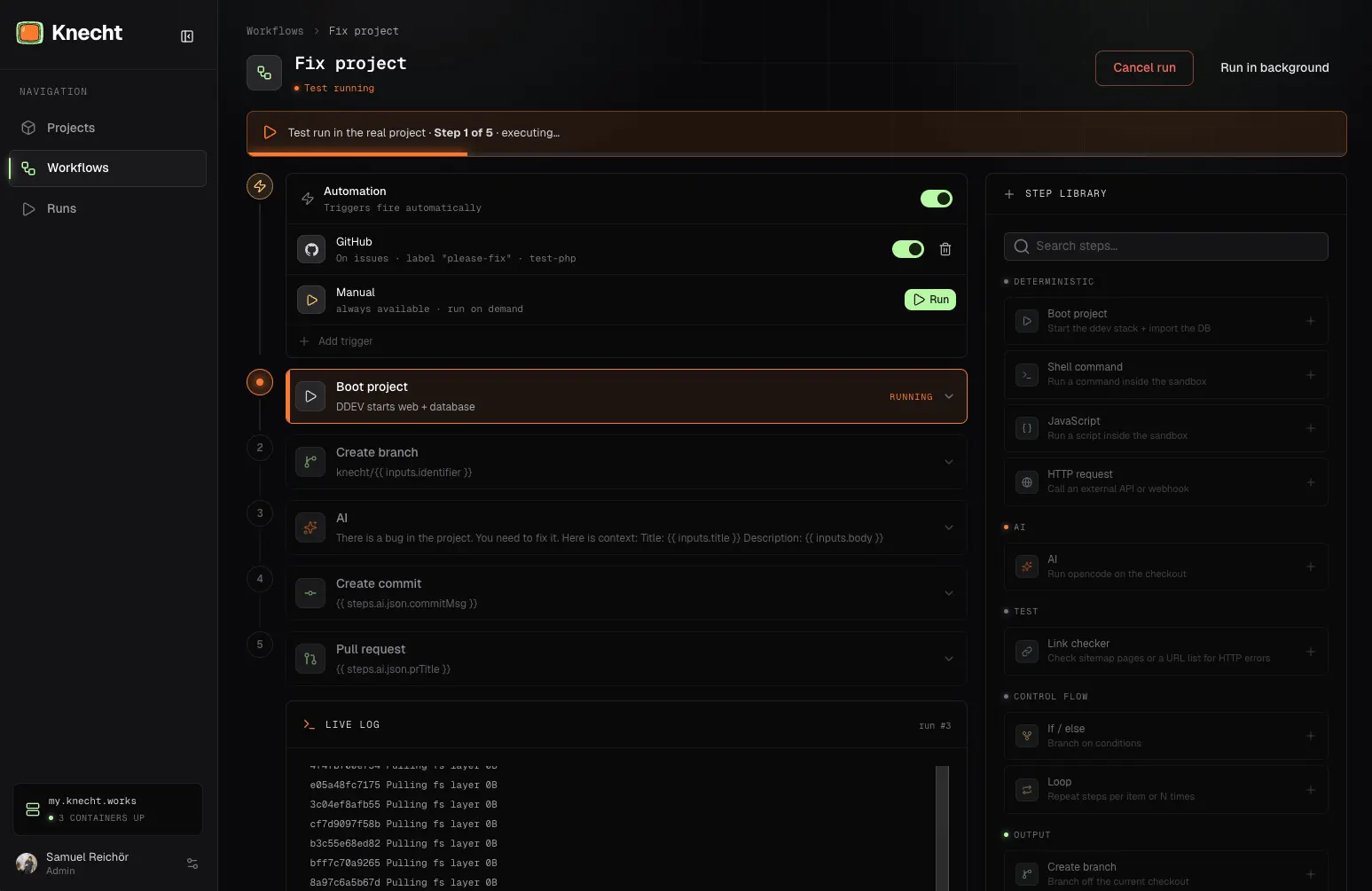
Inside a run, everything runs one step after the other, on purpose. There are no parallel branches. A run stays a linear, traceable chain. You can configure how many runs execute at the same time. All runs above that limit wait in the queue.
Workflows as code
You can export each workflow as YAML or JSON and import it again. Therefore a workflow can move into the Git repo, get reviews like all other code, and move between projects or instances. If you prefer a text editor, you write the file directly and import the finished file.
The format also opens a door for later. A workflow that works well at one agency works the same at the next agency, because it only contains steps and placeholders. A possible future step is a workflow store. There you install finished workflows, for example security updates or link checks, instead of a manual setup.
What is still absent
A notification system does not exist yet. When a run fails, you only see it in the dashboard. If you want an immediate signal, call a Slack webhook with the HTTP step at the end of the workflow. A hard time limit per run is also absent. A stuck step runs until you stop it.