Concepts
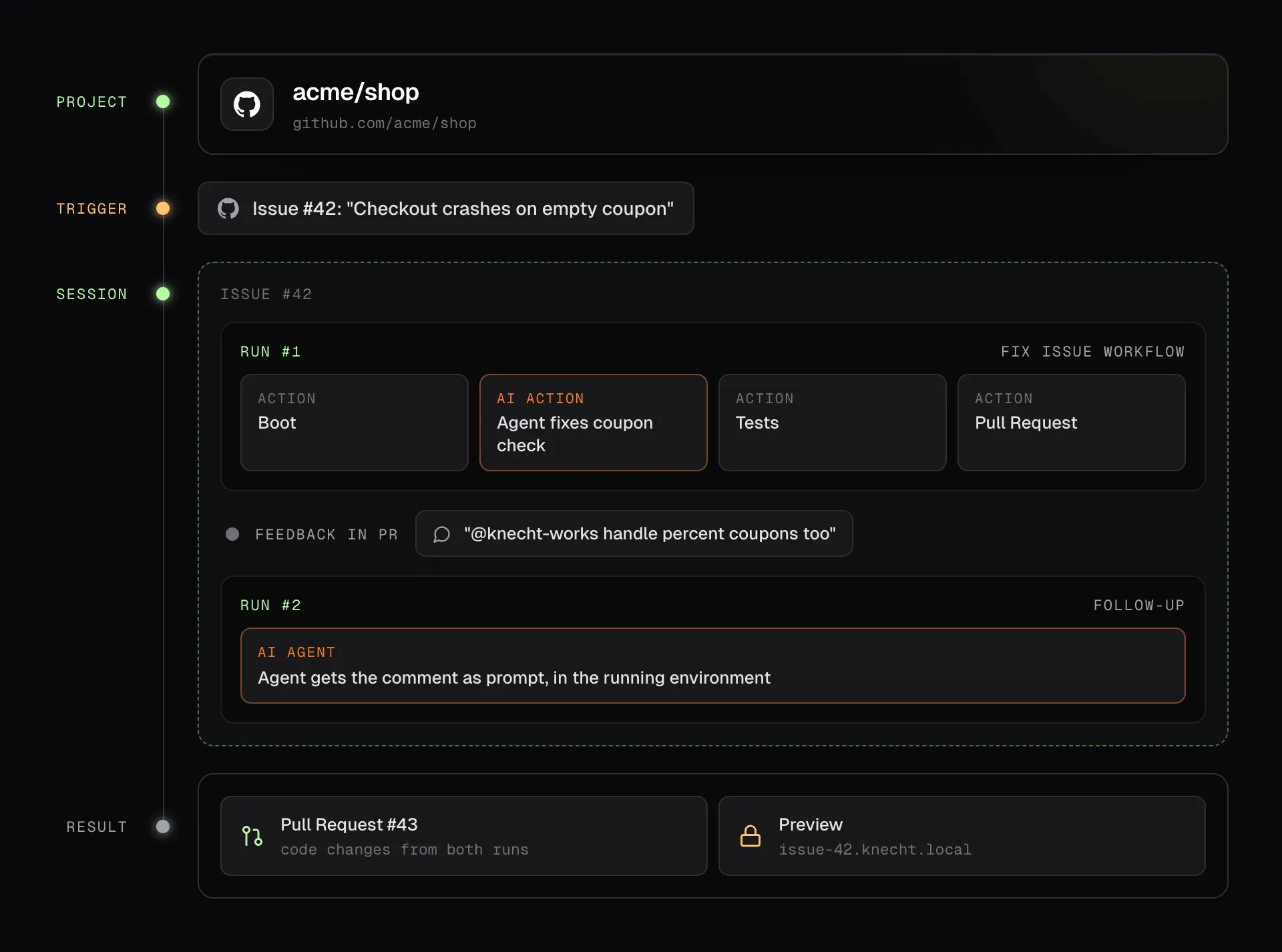
A trigger starts a workflow on a project. Knecht boots the project in a session, runs the steps in order, and delivers what the last steps produced. This page explains each of these pieces, in the order a run touches them, and how the environments are isolated from each other.
Projects
A project is a GitHub repository connected to Knecht. If the repo already ships a .ddev/config.yaml, Knecht boots from it as it is. If not, Knecht reads composer.json, package.json, .nvmrc, and the lockfile, and generates the environment itself. Environment variables and a database dump are stored on the project, so every run starts from a working state.
Adding and configuring projects is covered on Projects.
Workflows
A workflow is a list of steps Knecht runs on a project, in a fixed order. A typical one boots the project, updates the Composer packages, runs the tests, and opens a pull request. None of these steps need AI. Workflows live in the dashboard, and every instance ships with two starter workflows to copy from.
Building and testing workflows is covered on Workflows.
Triggers
A trigger defines when a workflow starts on its own. Knecht reacts to GitHub events such as a new issue or a label, to changes in a connected issue tracker, and to a schedule. Any workflow can also be started by hand. One workflow can serve several projects.
Actions
Each step in a workflow executes one action. Deterministic actions boot the project, run a shell command or your own JavaScript, call a URL, check the site for broken links, or create a branch, a commit, and a pull request. Control flow actions run steps conditionally or in a loop. The AI action hands the booted project to an agent that reads code, changes files, and runs commands until the task is done. It is one action among the others, and a workflow works without it.
The agent, its instructions, and its memory are covered on AI Agent.
Sessions
A session belongs to one GitHub issue or pull request, or to one issue in a connected issue tracker. It holds the checkout, the environment, and one shared agent conversation, so a follow-up mention continues where the last run stopped instead of starting over. The session closes with the issue and revives if the issue is reopened. Events without an issue, such as a schedule or a manual start, get a session of their own that closes after the single run.
Runs
A run is one execution of a workflow inside a session. Two triggers on the same issue run one after the other, never in parallel. A run has its own status, log, and steps, and a failed run can be retried from the step where it stopped.
Previews
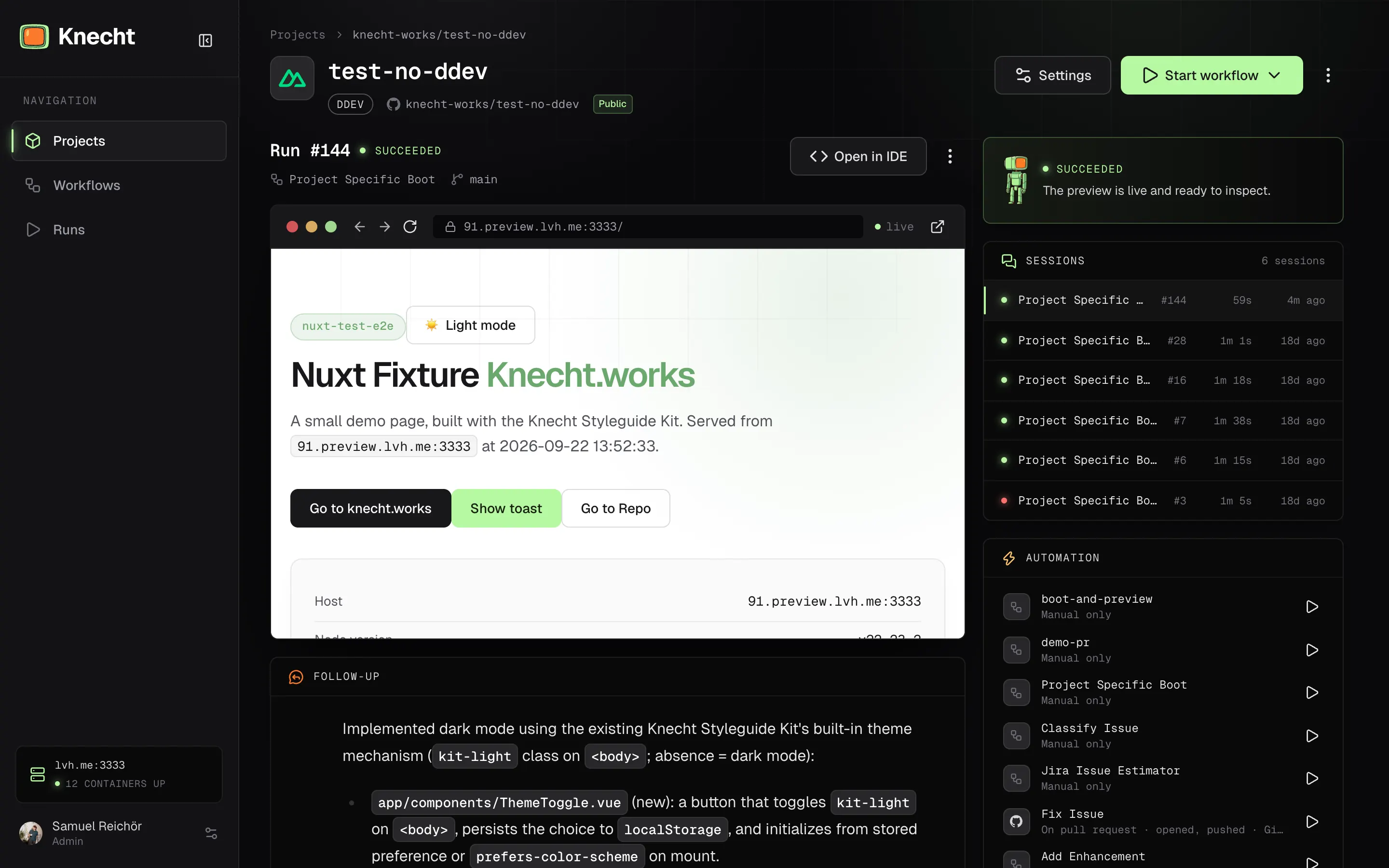
Every session gets a preview URL. It shows the current state of the environment, stays the same across all runs of the session, and needs a Knecht login to open.
Isolation
Every session runs in its own environment on your server. Nothing inside it can reach the host or another session.
- Own checkout and containers. A session gets its own clone of the repository and its own DDEV project, with a separate web container, database container, and volumes. Two sessions of the same project never share files or a database.
- Commands run inside the container. Shell commands, JavaScript steps, the agent, the terminal, and the IDE all execute inside the session's web container as an unprivileged user. The Docker socket and the DDEV CLI stay on the Knecht side, so a step cannot start containers or touch the host.
- Sessions cannot see each other. The containers are detached from DDEV's shared network and attached only to Knecht's ingress network. No ports are published on the host. Previews go through Knecht's proxy, container to container, behind the login.
- Short-lived credentials. Git pushes from a session use an installation token that is scoped to the one repository and expires after about an hour. The AI key reaches the agent process as an environment variable, not as a file in the checkout.
Security
On a self-hosted instance, Knecht does not manage your server's security or its updates. That stays your responsibility. On a managed instance we operate the server.
The installer sets up Docker, DDEV, and Knecht itself, nothing more. Hardening the host, keeping the operating system patched, restricting SSH, and setting up a firewall beyond ports 80 and 443 are up to you. Knecht updates itself from the dashboard, the rest of the host it leaves alone.
What Knecht does cover is the door into the instance. Sign-in goes through GitHub, only accounts on the member list get in, previews and the IDE sit behind that login, webhooks are signature-checked, and stored credentials are encrypted. Since the Knecht container drives the host's Docker daemon, the host should run nothing but Knecht.