Workflows
A workflow is a list of steps Knecht runs on a project, one after the other, inside the project's own environment. Each step executes one action. A workflow is built once and can then be started by hand or by a trigger on any number of projects.
Building a Workflow
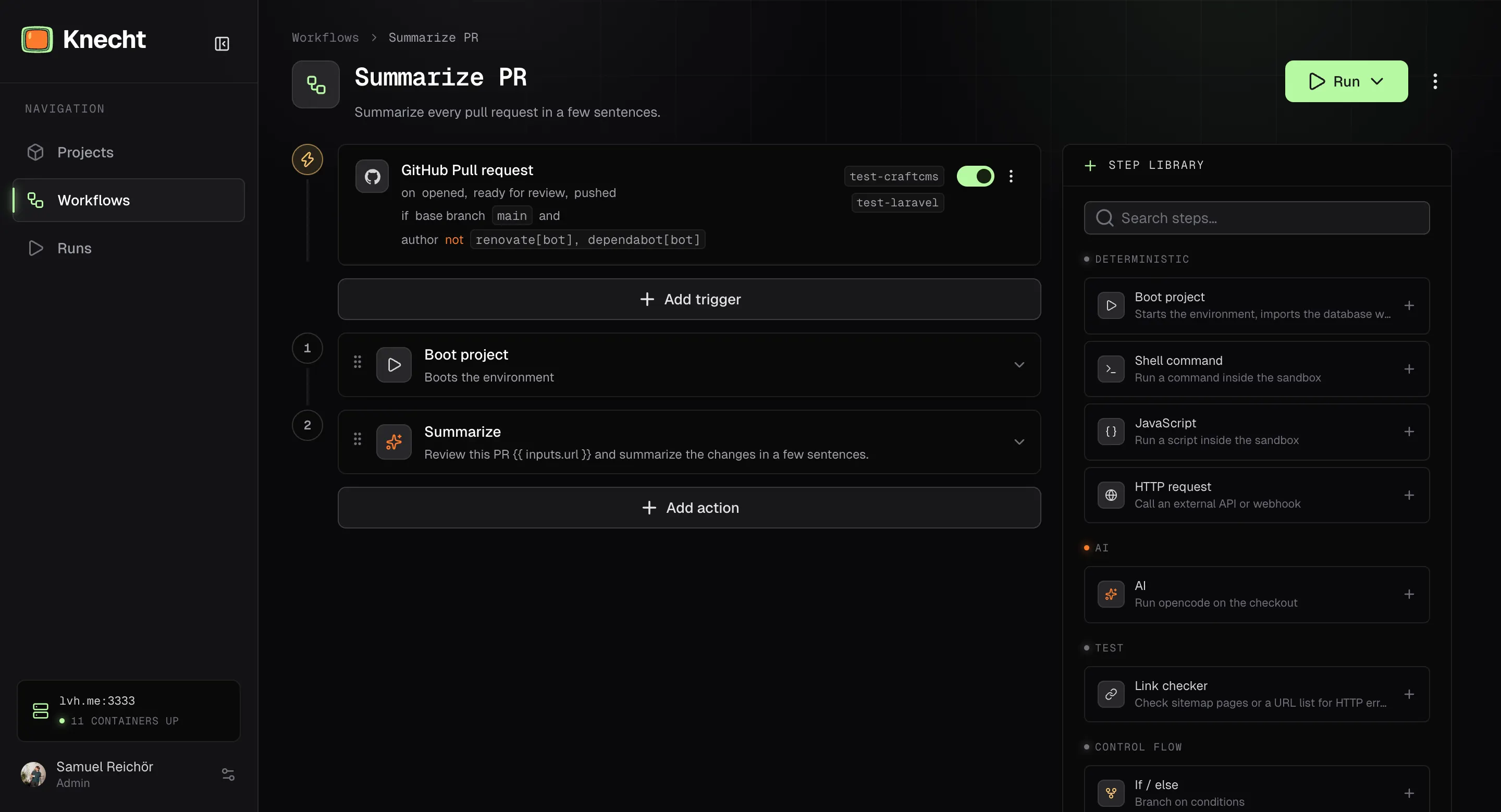
The workflow editor shows the steps as a numbered rail. Steps are added from the library, reordered by drag and drop, and configured in place. Every edit is saved automatically. Steps run in order, there are no parallel branches.
Run Variables
Steps reference earlier results and trigger data with double curly braces. Typing {{ in any field opens an autocomplete with what is available at that point. The namespaces:
A missing value renders as an empty string, so a run variable for something a step has not produced yet does not break the run.
Triggers
Triggers sit at the head of the workflow in the editor and define when it starts on its own. Knecht offers GitHub events, issue trackers, and cron schedules. Starting a workflow by hand needs no trigger. "Pause triggers" in the menu of the editor header turns all triggers of a workflow off, and a paused workflow says so above its triggers. Each trigger, its options, and the inputs it delivers are described on Triggers. The steps and agent commands that write back are described on the page of each integration.
Testing before You Activate
"Run" in the editor header starts the workflow on a project and branch of your choice, with the current draft. The test runs under the same rules as a real run, in the project's environment, with the log streaming into the editor. A collapsed section in the run popover lets you type a mock trigger event, so run variables such as {{ inputs.title }} can be tried without a real issue. The editor remembers the last mock inputs per workflow in your browser.
A draft that is not complete cannot run. The header lists what is missing, and clicking an entry opens the affected step.
Reporting Back
When a run in the session of an issue tracker issue finishes, Knecht comments on that issue without any step in the workflow:
- A pull request was opened. "Knecht opened a pull request for this issue" with the link. The tool's own word stands in for "issue", for example "ticket" in Jira.
- The run failed. "Knecht could not finish the run for this issue" with the link to the run in the dashboard.
- Succeeded without a pull request. Nothing. Whatever the agent replied stands on its own.
Runs on a GitHub issue or pull request get no such comment.
Workflows as Code
The overflow menu in the editor exports a workflow as YAML or JSON. "Import" on the workflows page creates a workflow from such a file. The export format is a plain step list, so a workflow can live in a git repository, be reviewed like code, and be moved between instances. Hand-written files are accepted as well and can use the short form: